

AMAIZOR

Best Reseller Hosting in India (2026 Complete Guide)
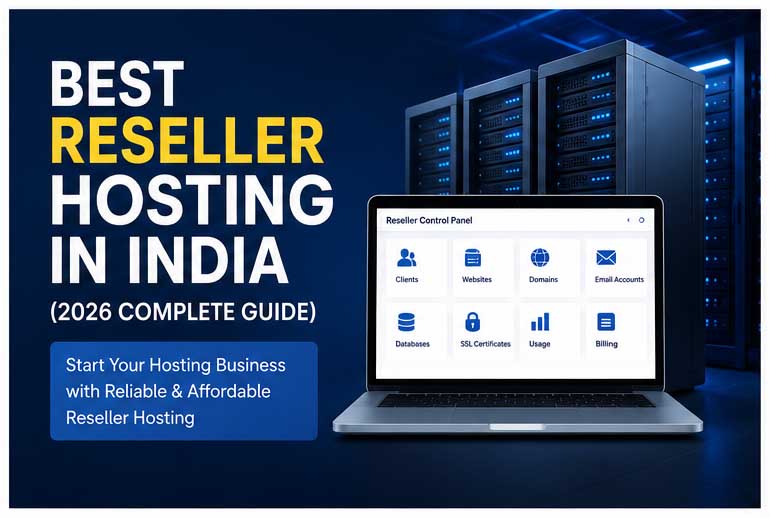
Best Reseller Hosting in India (2026 Complete Guide)

Best Reseller Hosting in India (2026 Complete Guide) The web hosting industry continues to grow rapidly, creating new opportunities for entrepreneurs, web developers, digital agencies, and freelancers. One of the easiest and most affordable ways to enter the hosting market is through Reseller Hosting. If you’re looking for the Best Reseller Hosting in India, this complete guide will help you understand how reseller hosting works, its benefits, key features, and how you can start your own web hosting business in 2026. What is Reseller Hosting? Reseller Hosting is a hosting service that allows you to purchase server resources from a hosting provider and resell them under your own brand name. Instead of investing in expensive servers and infrastructure, you can create hosting accounts for your customers and manage them using a reseller control panel. With White Label Reseller Hosting, your customers see your company name and branding, while the server infrastructure is managed by the hosting provider. How Does Reseller Hosting Work? The process is simple: Purchase a reseller hosting plan. Create hosting packages for your customers. Assign disk space, bandwidth, and email accounts. Sell hosting services under your own brand. Earn recurring monthly or yearly revenue. This business model is popular among: Web Designers Web Developers Digital Marketing Agencies IT Consultants Freelancers Entrepreneurs Why Reseller Hosting is Growing in India India is experiencing rapid digital growth. More businesses, schools, colleges, clinics, startups, and e-commerce companies are creating websites than ever before. This creates a huge demand for: Website Hosting WordPress Hosting Business Email Hosting SSL Certificates Website Security Services Reseller Hosting allows you to take advantage of this growing market without requiring large investments. Benefits of Reseller Hosting Start a Hosting Business with Low Investment You don’t need to purchase servers or manage hardware. A reseller plan provides everything required to start selling hosting services. Earn Recurring Revenue Unlike website design projects that generate one-time income, hosting services create recurring monthly and yearly revenue. Sell Under Your Own Brand White Label Reseller Hosting allows you to build your own hosting company and strengthen your brand identity. Easy Client Management Modern reseller hosting panels allow you to manage: Websites Email Accounts Databases Domains SSL Certificates from a single dashboard. Scalability As your customer base grows, you can upgrade your reseller hosting plan without disrupting existing clients. Features to Look for in the Best Reseller Hosting India SSD Storage SSD-powered hosting delivers faster website performance and better user experience. Free SSL Certificates SSL helps secure websites and improves search engine rankings. White Label Hosting Build your own hosting brand without revealing the infrastructure provider. Email Hosting Offer professional email accounts using your clients’ domain names. High Uptime Look for hosting providers offering 99.9% uptime or better. Website Security Choose hosting that includes malware protection and security monitoring. Easy Control Panel A simple hosting management panel helps save time and improve efficiency. Technical Support Reliable support is essential for handling technical issues quickly. Who Should Buy Reseller Hosting? Reseller Hosting is ideal for: Web Designers Offer hosting services alongside website design projects. Digital Agencies Generate additional revenue from existing clients. Freelancers                                            Create recurring income instead of relying only on project-based work. Entrepreneurs Launch a hosting company without investing in server infrastructure. IT Service Providers Bundle hosting with website maintenance and support services. How Much Can You Earn with Reseller Hosting? Your earnings depend on: Number of customers Hosting package pricing Additional services offered Many successful resellers bundle: Domain Registration Website Design SSL Certificates Website Security Email Hosting WordPress Maintenance This increases customer value and recurring revenue. Reseller Hosting vs Shared Hosting Feature Shared Hosting Reseller Hosting Host Multiple Clients No Yes Create Hosting Packages No Yes White Label Branding No Yes Recurring Income Limited High Client Management No Yes If your goal is to sell hosting services, reseller hosting is the better choice. Why Choose Amaizor Reseller Hosting? Amaizor offers affordable and reliable Reseller Hosting in India designed for agencies, developers, and entrepreneurs. Key Benefits White Label Reseller Hosting High-Speed SSD Storage Free SSL Certificates Professional Email Hosting Easy Hosting Management Secure Infrastructure Excellent Uptime Scalable Resources Expert Technical Support Affordable Pricing Whether you are hosting a few websites or building a large hosting business, Amaizor provides the tools and support you need to succeed. Final Thoughts Reseller Hosting remains one of the most profitable online business opportunities in 2026. It allows web professionals and entrepreneurs to launch their own hosting brand with minimal investment while generating recurring revenue. By choosing a reliable reseller hosting provider, you can deliver fast, secure, and dependable hosting services to your customers while focusing on growing your business. If you’re planning to start your own hosting company, now is the perfect time to begin with a trusted Reseller Hosting solution. https://www.amaizor.com/reseller-hosting/ Best Reseller Hosting India, Reseller Hosting India, Cheap Reseller Hosting, Linux Reseller Hosting, White Label Reseller Hosting, Reseller Web Hosting, Unlimited Reseller Hosting, Start Hosting Business, Hosting Reseller Program, SSD Reseller Hosting, Affordable Reseller Hosting, Web Hosting Business

How to Improve WordPress Website Speed Without Coding (Complete Beginner Guide)
how to improve wordpress website speed

How to Improve WordPress Website Speed Without Coding (Complete Beginner Guide) You are not the only one experiencing slow WordPress website loading times; millions of other website owners and operators are experiencing problems with slow websites: poor or nonexistent website speed, high bounce rate, and low SEO ranking as a result of a slow loading web site.   In the year 2026, website load time will be just as important as ever. Visitors expect every website they visit to load quickly (within seconds) and, in today’s world, Google gives priority in their search engine results to fast websites.   If your website is slow, you are likely to have fewer visitors, lower conversion rates and poorer user experience.   Fortunately, you don’t need to have experience with coding to make improvements to your WordPress web site. We will provide a complete and easy-to-understand beginner’s guide to how to improve WordPress website speed  through easy to follow steps.   No matter whether you operate a blog, own a business or run an online shop, the following tips will help improve the WordPress loading speed of your WordPress web site, increase your search engine ranking and enhance the experience for your site visitors. Lorem ipsum dolor sit amet, consectetur adipiscing elit. Ut elit tellus, luctus nec ullamcorper mattis, pulvinar dapibus leo. Why Website Speed Matters in 2026 The speed at which your website is loaded will impact: SEO Performance User Experience Conversion Rates Bounce Rates Mobile Performance Sales & Leads Research indicates that users leave when they visit a slow-loading site, even a 1-second delay can have an impact on purchases made on the site.   For this reason, many companies are making investments into improvingWordPress performance optimization and selecting the best WordPress hosting providers. What Causes Slow WordPress Websites? To successfully how to improve WordPress website speed,, you must first be aware of some of the typical things that cause a website to slow down. Some reasons for slow websites are:   Bad quality hosting  Large image files  Too many plugins installed  Heavy themes installed  No caching on your website  Unoptimized databases Slow server response times Too many external scripts Luckily, most of these problems do not require any coding skills and can be easily solved with the proper tools and techniques! 1. Choose the Fastest WordPress Hosting The performance of your website is primarily determined by the quality of your hosting provider. Many new owners use low-cost shared hosting, which will slow down your site speed during high traffic periods. For you to increase the WordPress loading speed, of your WordPress website, one of the best things you can do is to move to one of the fastest WordPress hosting. Some of the features of a quality host include: NVMe SSD storage LiteSpeed web servers High uptime Fast server response time Advanced caching technology Optimized environment for WordPress Companies like Amaizor that provide reliable hosting services offer fast-loading hosting services for your WordPress site. 2. Use a Lightweight WordPress Theme Some WordPress themes have lots of animations and large items that make your site slower. Using a lightweight, fast-loading theme such as the following will help: Astra GeneratePress Kadence Neve By using a lightweight theme, you will improve your site’s performance in the following ways: Improves Mobile Speed Improves SEO Performance Improves Users Experience These are all an important part of the WordPress performance optimization process. 3. Install a Caching Plugin Caching creates static versions of your website pages so they load faster for visitors. Without caching, WordPress generates pages dynamically every time someone visits your site. Popular caching plugins include: WP Rocket LiteSpeed Cache W3 Total Cache WP Super Cache Caching significantly improves WordPress loading speed and reduces server load. Most caching plugins work with simple one-click settings. 4. Optimize Images Before Uploading Slow websites are often heavily impacted by large images being used. You must optimize your images BEFORE you upload them to your WordPress website if you want to  how to improve WordPress website speed Some suggestions for image optimization include:  Image compression  Proper image resizing  Use of WebP format Avoid uploading unnecessarily large image files Some useful image optimization plugins you could use are:  Smush  ShortPixel  Imagify Optimized images will help you optimize your desktop and mobile website speed. 5. Remove Unnecessary Plugins Having excessive amounts of plugins will negatively impact your site’s load time. Certain plugins have many long-running processes which reduce response time. To optimize performance: Remove any plugins that you don’t use. Avoid redundant plugins with duplicate functionality offering the same benefits.  Consider using a more lightweight version of the plugin.  Always use the latest version of a plugin. Improving performance on a clean website is another straightforward way to enhance the performance of your WordPress performance optimization 6. Enable Lazy Loading Lazy loading delays loading images and videos until users scroll down the page. This reduces initial page loading time. Most caching plugins now include lazy loading features. Benefits include: Faster page speed Better mobile performance Reduced bandwidth usage Lazy loading is an excellent method for improving WordPress loading speed. 7. Use a Content Delivery Network (CDN) A CDN holds replicated copies of your site across multiple locations throughout the globe. When a visitor accesses your site, they will receive content from the closest CDN location. Some major CDN providers are: Cloudflare BunnyCDN StackPath Benefits of CDNs include: Increased global response time of the website to visitors Increased security of the website Better uptime of the website Enhanced User Experience If you have an international audience, it is highly recommended that you use a CDN. 8. Keep WordPress Updated Outdated versions of WordPress can negatively affect performance and increase security vulnerabilities. Be sure to regularly update: WordPress core Themes Plugins Keeping the software updated will improve compatibility with other technologies as well as increase the speed of the website. Updating your installed software is one of the very first steps you can take to how to improve WordPress website speed. 9. Optimize

Managed vs Unmanaged VPS Hosting: Which One Is Best for Your Business in 2026?

Managed vs Unmanaged VPS Hosting: Best VPS Hosting India Guide 2026

Managed vs Unmanaged VPS Hosting: Best VPS Hosting India Guide 2026 Choosing the best hosting option for your business website is one of the top decisions you will make in today’s digital world. Whether you have an eCommerce store, a business website, a SaaS platform, or a blog, your hosting impacts everything including speed, security, uptime, and overall customer experience. As more and more businesses move online in 2026, many website owners are now opting for VPS hosting instead of shared hosting due to the better performance and greater flexibility. However, there is one question that remains the same: Should I choose managed VPS hosting or unmanaged VPS hosting? In this In-Depth Guide, we will cover all aspects of managed vs unmanaged VPS hosting including their pros & cons, pricing, and which one is the best VPS Hosting option in India for your business to consider in 2026.  If you are looking to upgrade your hosting, this guide will help you decide on the best option for you. What Is VPS Hosting? A VPS (Virtual Private Server) is a type of Web hosting that can be created by dividing a host physical server in to multiple hosts by using virtualization technology. Every VPS has the following features:   Individual Resources  Superior security  Performance   Root Access Easy Scalability The difference between Shared and VPS is, your website will not be impacted by any other company’s website on the same shared web server. Because of this reason, the best VPS Hosting companies in India are now being used by many businesses to increase website performance. What Is Managed VPS Hosting? Managed VPS Hosting refers to a variety of services provided by an IT vendor whereby the vendor does technical server management for your organization. A managed VPS hosting service will generally provide the following services:  Server Setup  Security Updates  Software Installation  Performance Optimization Backup Management  Technical Support  Monitoring  Firewall Configuration   A business owner utilizing Managed VPS Hosting will be able to concentrate on their website and business rather than spend time on managing the server itself. Advantages of Managed VPS Hosting User-Friendly You don’t have to be an advanced IT professional to manage your server when you have managed hosting; everything will be managed by your provider. As a result, managed VPS hosting is perfect for:  Small Business Owners  Beginners  eCommerce Sites  Start-ups  Agencies. Security Cybersecurity will continue to grow significantly over the next five years; managed hosting providers will always update their servers and monitor threats to them. Examples of the security features included are:  Malware Scanning  Firewall  DDoS   Automatic updates Because of this security feature set, many companies favour managed services over unmanaged VPS hosting providers. Technical Support from Experts One of the main advantages of managed VPS hosting is that you will have access to trained professionals who can assist you as soon as your website has issues or crashes. This will help reduce your downtime and ensure that your business continues to operate. Automatic Backups Most managed plans provide automatic backups and restore options. This will help protect your website’s data from accidental loss. Performance Improvements Managed hosting optimizes the performance of your server for several important factors: faster loading time; improved caching; improved uptime; improved handling of increased traffic. Improving performance will help improve your SEO ranking and your customers’ experience. Disadvantages of Managed VPS Hosting Increased Costs Due to having the managed host do everything from maintenance to support, it’s more costly to host with a managed host than to host your own website. Yet, the added convenience and added level of security make those additional costs worth the money.   Limited Server Control Many managed hosting providers restrict configurations for stability and security. Advanced developers may want to have more server control than this allows and provide alternatives to the ways they typically set up websites.   What Is Unmanaged VPS Hosting? If you use unmanaged VPS hosting, you will have full control over your server; however, you are responsible for all management of your server. Some of the management tasks include: Server configuration Security setup Installing software Troubleshooting Keeping your server updated Monitoring your server Backing up data Unmanaged VPS hosting is not recommended if you do not have a high level of technical experience.   Advantages of Unmanaged VPS Hosting Cost Savings A major advantage of using an unregulated virtual private server (VPS) is the price. Unregulated VPS hosting is a good choice for those who need a cheap VPS hosting  in India.Because each management company provides only the server’s hardware, there is less expense associated with managing a VPS.   Total Control With roots access, you’ll have complete control over your virtual private server (VPS) to configure it however you’d like. Programmers and advanced users like unregulated VPS hosting because they have more control over their server.   More Customization Options With an unmanaged VPS hosting, you can install:  custom software, special applications, security equipment,  custom operating systems.   This type of flexibility and customization is ideal for experienced web developers.   Disadvantages of Unmanaged VPS Hosting Need for Technical Knowledge To manage a server you need technical skills. Several areas of technical knowledge necessary for managing servers include: Linux command-line interface Server administration Security Management Troubleshooting Without these technical skills, it is difficult to manage a server.    Increased Risk of Security Breaches If your server is not configured correctly, it may leave your server open to attack by hackers. This presents a problem for companies that have information about customers.   Lack of Dedicated Support Most unmanaged plans provide either limited or no support for anything other than hardware or network issues, so if you have a software problem, you will be responsible for resolving it. Managed vs Unmanaged VPS Hosting: Key Differences Feature Managed VPS Hosting Unmanaged VPS Hosting Technical Support Full support Limited support Server Management Provider handles it User handles it Cost Higher Lower Security Managed by provider User responsibility Ease of Use Beginner-friendly Technical users

Cheap Dedicated Server Hosting in India with High Performance

cheap dedicated server hosting

Cheap Dedicated Server Hosting in India with High Performance In today’s digital world, businesses need fast, secure, and reliable hosting solutions to stay ahead of competitors. Whether you run a high-traffic website, an eCommerce store, gaming platform, or enterprise application, choosing the right hosting solution is important for performance and growth. This is where Dedicated Server Hosting India becomes the ideal choice for businesses looking for power and stability at an affordable cost. If you are searching for a Cheap Dedicated Server with premium performance, Amaizor Dedicated Servers provides reliable hosting solutions for businesses in India, USA, and worldwide. What is Dedicated Server Hosting? Dedicated hosting means you get an entire physical server dedicated only to your website or applications. Unlike shared hosting, where multiple users share the same resources, a dedicated server provides full CPU power, RAM, storage, and bandwidth exclusively for your business. A Dedicated Server for Business is perfect for: High-traffic websites eCommerce stores Gaming servers Enterprise applications Video streaming websites Large databases SaaS platforms With a dedicated server, businesses enjoy maximum performance, better security, and full server control. Why Businesses Need Dedicated Server Hosting India India’s online business market is growing rapidly. Businesses now require faster websites, low latency, and secure infrastructure to handle increasing traffic. Choosing Dedicated Server Hosting India helps local businesses improve website speed for Indian visitors while also supporting international audiences. Key benefits include: 1. High Performance Dedicated servers deliver powerful hardware resources without sharing them with other users. This ensures fast loading speeds and smooth performance even during heavy traffic. 2. Better Security A dedicated environment provides enhanced security compared to shared hosting. Sensitive customer data, payment information, and applications remain protected. 3. Full Server Control Users get root access and complete customization options to install applications, configure settings, and optimize server performance. 4. Reliable Uptime Businesses cannot afford downtime. Dedicated hosting ensures stable uptime and uninterrupted operations. 5. Scalability As your business grows, dedicated servers can handle increasing workloads efficiently. Cheap Dedicated Server with Premium Features Many businesses believe dedicated hosting is expensive. However, modern hosting providers now offer affordable solutions without compromising performance. At Amaizor Dedicated Servers, users can find Cheap Dedicated Server plans with premium features such as: High-performance Intel and AMD processors Enterprise-grade SSD & NVMe storage High RAM configurations Full root access DDoS protection 24/7 technical support Fast network connectivity Multiple OS options Affordable dedicated hosting is now accessible for startups, agencies, developers, and growing enterprises. USA Dedicated Server for Global Reach If your target audience is international, choosing a USA Dedicated Server can significantly improve website performance for North American users. USA-based servers are ideal for: International businesses SaaS companies Streaming platforms Global eCommerce stores Gaming applications Businesses targeting both Indian and USA customers often use dedicated servers in multiple regions for better latency and SEO performance. Why Dedicated Hosting is Better Than Shared Hosting Shared hosting works for small websites, but as traffic increases, businesses need stronger infrastructure. Dedicated hosting offers several advantages: Feature Shared Hosting Dedicated Hosting Performance Shared resources Full resources Security Basic Advanced Speed Moderate High Customization Limited Full control Scalability Limited Excellent Stability Shared impact Independent For growing websites and enterprises, dedicated hosting provides long-term reliability and performance. Managed Dedicated Server – Hassle-Free Hosting Not every business has a technical team to manage servers. This is why many companies prefer a Managed Dedicated Server solution. Managed hosting includes: Server setup and configuration Security updates Monitoring and maintenance Performance optimization Backup management Technical support This allows business owners to focus on growth while the hosting provider handles server management. Best Dedicated Hosting 2026 for Businesses The demand for high-speed hosting is increasing every year. Businesses now require modern infrastructure with fast processors, NVMe storage, and enterprise-grade security. Choosing the Best Dedicated Hosting 2026 means selecting a hosting provider that offers: Reliable uptime Affordable pricing Fast support Advanced hardware Secure infrastructure Flexible server customization Amaizor Dedicated Servers offers high-performance dedicated hosting solutions suitable for startups, enterprises, agencies, and developers. How Dedicated Servers Improve SEO Website speed and uptime directly affect SEO rankings. A slow website increases bounce rates and reduces user experience. Dedicated servers help improve: Website loading speed Core Web Vitals User experience Search engine rankings Conversion rates Businesses targeting competitive keywords in India and the USA can benefit greatly from dedicated hosting infrastructure. Final Thoughts Choosing the right hosting solution is essential for online business success. Whether you need a Dedicated Server Hosting India, a USA Dedicated Server, or a fully Managed Dedicated Server, dedicated hosting delivers superior speed, security, and reliability. If you are looking for a Cheap Dedicated Server with enterprise-level performance, explore the powerful hosting solutions available at Amaizor Dedicated Servers. Investing in the Best Dedicated Hosting 2026 can help your business achieve better performance, stronger security, and long-term scalability.

Best WordPress Hosting in India for Beginners (2026 Guide)
1. Best WordPress Hosting in India for Beginners (2026 Guide)

Best WordPress Hosting in India for Beginners (2026 Guide) If you are planning to start a website, blog, business website, portfolio, or online store in 2026, choosing the right WordPress hosting is one of the most important decisions. Whether you are from India, USA, UAE, Africa, or other Asian countries, fast and secure hosting helps your website load faster, rank better on Google, and provide a smooth experience to visitors. In this guide, we will explain everything beginners need to know about WordPress hosting, how to choose the best hosting provider, and what features actually matter. If you are looking for affordable and reliable hosting, check out Amaizor WordPress Hosting: https://www.amaizor.com/wordpress-hosting/ What is WordPress Hosting? WordPress hosting is a type of web hosting optimized specifically for WordPress websites. It offers better speed, improved security, automatic updates, backups, and easy WordPress installation. Unlike normal shared hosting, WordPress hosting is designed to handle WordPress websites more efficiently. Benefits of WordPress Hosting Faster website loading speed Better SEO performance Free SSL certificate Easy WordPress installation Enhanced website security Daily or weekly backups Better uptime and reliability Beginner-friendly control panel Why WordPress Hosting is Important for Beginners Many beginners buy cheap hosting without checking performance, support, or security. Later, they face issues like: Slow website loading Frequent downtime Website hacking problems Poor customer support Low Google rankings Server errors during traffic spikes Choosing the best WordPress hosting in India or globally can help avoid these problems. Best WordPress Hosting Features to Look For in 2026 Before buying WordPress hosting, beginners should check these important features. 1. SSD or NVMe Storage Fast SSD or NVMe storage improves website loading speed significantly. SEO Keywords: Fast WordPress hosting SSD WordPress hosting India High speed WordPress hosting 2. Free SSL Certificate SSL keeps your website secure and improves trust. Google also prefers HTTPS-enabled websites. SEO Keywords: WordPress hosting with free SSL Secure WordPress hosting Free SSL hosting India 3. 1-Click WordPress Installation Beginners should choose hosting with easy WordPress installation. This helps launch websites quickly without technical knowledge. 4. LiteSpeed Web Server LiteSpeed hosting improves WordPress speed and performance. It is especially useful for blogs, business websites, and WooCommerce stores. SEO Keywords: LiteSpeed WordPress hosting Fastest hosting for WordPress SEO optimized hosting 5. Daily Backups Automatic backups protect your website from data loss. If something goes wrong, you can restore your website quickly. 6. 24/7 Technical Support Beginners often need help while setting up websites. Reliable hosting providers offer 24/7 support through chat, tickets, or WhatsApp. Best WordPress Hosting for India, USA, UAE, Africa & Asia Different countries need different hosting priorities. India Indian users usually prefer: Affordable hosting UPI payment options Fast loading speed in India Hindi support Local business-friendly plans Easy-to-Rank Keywords Best WordPress hosting in India Cheap WordPress hosting India Affordable hosting for Indian businesses WordPress hosting with UPI payment USA USA customers often look for: High performance hosting Better uptime Managed WordPress hosting Ecommerce optimized hosting SEO Keywords Best managed WordPress hosting USA Fast WordPress hosting for business websites WooCommerce hosting USA UAE Businesses in UAE usually prefer: Fast hosting for ecommerce websites Reliable uptime Secure business hosting Scalable WordPress hosting SEO Keywords Best WordPress hosting UAE Business WordPress hosting Dubai Secure hosting for ecommerce websites Africa African users often search for: Affordable hosting plans Low-cost WordPress hosting Fast hosting with global CDN SEO Keywords Cheap WordPress hosting Africa Best hosting for African startups Affordable hosting for bloggers Asia Asian businesses generally need: Reliable website performance SEO-friendly hosting Fast customer support Business website hosting SEO Keywords Best WordPress hosting in Asia Fast hosting for Asian websites SEO optimized WordPress hosting Shared Hosting vs WordPress Hosting Many beginners get confused between shared hosting and WordPress hosting. Feature Shared Hosting WordPress Hosting Speed Average Faster Security Basic Optimized WordPress Support Limited Better Performance Standard Optimized Backups Sometimes Usually Included Ease of Use Beginner Friendly More Beginner Friendly If your website uses WordPress, dedicated WordPress hosting is usually the better option. Who Should Use WordPress Hosting? WordPress hosting is perfect for: Bloggers Small businesses Startup websites Ecommerce stores Educational websites Portfolio websites Agencies News portals Coaching institutes School websites Best WordPress Hosting for Small Businesses Small businesses need hosting that is: Affordable Fast Secure Reliable Easy to manage A good hosting plan helps businesses: Rank better on Google Increase customer trust Improve conversion rates Reduce website downtime Why Website Speed Matters for SEO Google uses website speed as a ranking factor. Slow websites often lose visitors and sales. Fast WordPress hosting improves: User experience Mobile performance SEO rankings Conversion rates Bounce rate Easy SEO Keywords Fast loading WordPress hosting SEO friendly hosting Best hosting for Google ranking Website speed optimization hosting Common Mistakes Beginners Make While Buying Hosting Choosing the Cheapest Hosting Only Very cheap hosting may lead to slow performance and downtime. Ignoring Customer Support Good support is essential for beginners. Not Checking Backup Options Backups help recover websites easily. Ignoring Security Features Always choose hosting with SSL, malware protection, and security monitoring. Why Choose Amaizor WordPress Hosting? Amaizor offers beginner-friendly WordPress hosting solutions with fast servers, security features, and affordable pricing. Features Fast SSD hosting Free SSL certificate Easy WordPress setup 24/7 technical support Affordable hosting plans Reliable uptime Beginner-friendly control panel Optimized WordPress performance Visit: https://www.amaizor.com/wordpress-hosting/ Frequently Asked Questions (FAQs) Which is the best WordPress hosting in India? The best hosting depends on your budget, traffic, and website type. Beginners should choose fast, secure, and affordable hosting with good support. Is WordPress hosting good for beginners? Yes. WordPress hosting is beginner-friendly and usually includes easy setup, backups, and security. What is the difference between shared hosting and WordPress hosting? WordPress hosting is specifically optimized for WordPress websites and generally provides better speed and security. Does hosting affect SEO? Yes. Fast and reliable hosting improves website speed, uptime, and user experience, which helps SEO. Can I host multiple websites on WordPress hosting? Many hosting plans allow multiple websites depending on the package. Final Thoughts

Best Web Hosting in India for Small Businesses (2026 Guide)

Best Web Hosting in India for Small Businesses (2026 Guide)

Best Web Hosting in India for Small Businesses (2026 Guide) In today’s digital world, having a fast and reliable website is essential for every small business. Whether you run a local shop, startup, coaching institute, clinic, or e-commerce business, your website helps customers find your services online and builds trust in your brand. But choosing the best web hosting in India for small businesses can be confusing. With so many hosting providers and plans available, it is important to select a hosting service that offers the right balance of speed, security, uptime, support, and affordability. This guide will help you understand how to choose the right hosting solution for your business in 2026. What is Web Hosting? Web hosting is a service that stores your website files and makes your website accessible on the internet. Without web hosting, your website cannot be viewed online. A good hosting provider ensures: Fast website loading speed Secure data protection High uptime and reliability Smooth website performance Technical support when needed Why Small Businesses Need Reliable Web Hosting Many small businesses lose customers because of: Slow-loading websites Frequent downtime Poor mobile experience Weak website security Lack of professional email services Reliable hosting helps businesses: Improve online visibility Increase customer trust Generate more enquiries and sales Improve SEO rankings on Google Create a professional online presence Important Features to Look for in Web Hosting 1. Fast SSD Storage SSD hosting improves website speed and user experience. Faster websites also help improve Google rankings. 2. High Uptime Guarantee Choose a provider offering at least 99.9% uptime to ensure your website stays online. 3. Free SSL Certificate SSL security protects customer data and helps build trust with website visitors. 4. Responsive Website Builder A free website builder allows beginners to create mobile-friendly websites without coding knowledge. 5. Website Security Features like malware scanning and SiteLock protection help keep your website secure from hackers and threats. 6. Professional Email Hosting Business email addresses using your domain name improve professionalism and credibility. 7. Easy Control Panel A user-friendly control panel makes it easy to manage hosting, emails, databases, and files. 8. 24×7 Technical Support Reliable support is important for solving technical issues quickly. Types of Hosting for Small Businesses Shared Hosting Affordable and beginner-friendly hosting where multiple websites share server resources. Ideal for: Small business websites Blogs Startup websites Portfolio websites WordPress Hosting Optimized hosting specifically designed for WordPress websites with better speed and security. VPS Hosting Provides more power and resources for growing businesses with higher traffic. Dedicated Server Hosting Best for large websites and businesses needing maximum performance and control. How Fast Hosting Helps SEO Website speed is one of the most important ranking factors in Google search results. Slow websites increase bounce rates and reduce customer engagement. Fast hosting helps: Improve Google rankings Increase conversions Enhance mobile experience Reduce loading time Why Indian Businesses Should Choose Indian-Friendly Hosting For businesses targeting Indian customers, choosing hosting optimized for Indian traffic can improve performance and support. Benefits include: Faster local website access Better customer support timing Affordable pricing in INR Improved local SEO performance Recommended Hosting Solution for Small Businesses For most startups and small businesses, Linux Shared Hosting with SSD storage, free SSL, professional email, and website security is the best starting point. As your business grows, you can easily upgrade to VPS or Dedicated Hosting. Final Thoughts Choosing the best web hosting in India is an important decision for your business growth. A reliable hosting provider ensures your website remains fast, secure, and available to customers at all times. Before selecting a hosting plan, always check: Speed and uptime Security features Technical support Scalability options Pricing and included features A strong hosting foundation helps your business grow online with confidence. Frequently Asked Questions Which hosting is best for small businesses in India? Linux shared hosting is the best and most affordable option for most small businesses and startups. Is free SSL important for websites? Yes. SSL protects website data and improves customer trust and SEO rankings. What is the difference between Shared Hosting and VPS Hosting? Shared hosting is affordable and beginner-friendly, while VPS hosting provides more resources and better performance. Why is website speed important? Fast websites improve user experience, SEO rankings, and conversion rates. Can I upgrade my hosting plan later? Yes. Most hosting providers allow easy upgrades as your website traffic grows.

Dedicated Server vs VPS Complete Guide

dedicated server vs vps

When Should You Upgrade to Dedicated Server Hosting? (Dedicated Server vs VPS Complete Guide) The technical requirements of a website will typically increase alongside its growth, and when a site becomes too busy to maintain the performance levels it was designed for and the website owner needs to consider moving from using shared (or sometimes a VPS) hosting to using a dedicated server could be argued to be one of the most common decision points for website owners today. When comparing Dedicated server vs VPS, the question that website owners should be asking themselves isn’t which option is better; rather, they should ask themselves when should I upgrade? In this detailed guide, you’ll find the key differences between vps hosting vs dedicated hosting,as well as information regarding the important factors that affect each type of service.  Additionally, the guide provides you with the information that you need if and when you decide to switch your site from VPS to a dedicated server. Understanding VPS Hosting A VPS (Virtual Private Server) is an internet hosting solution that involves dividing an actual server into many separate virtual environments, with each user getting a particular share of that server’s resources, including the CPU, RAM, and hard disk space. When comparing VPS hosting vs dedicated server hosting, VPS typically falls in between the two options – you get more performance than with shared hosting but not as much as with a dedicated server. VPS Hosting Advantages: Less expensive than a dedicated server Offers better performance than with shared hosting Provides scaling capabilities Allows for a certain degree of server-level control Nonetheless, VPS hosting is also a shared resource at the physical level, and can be affected by the performance of other users located on the same physical server when they have surged in demand for resources while other users have substantially decreased their demand for resources. What is Dedicated Server Hosting? When you use dedicated server hosting, you are provided with an entire physical server solely for your website or application. Because there is no resource sharing like there is with VPS, all resources available to you are committed solely to the use of your website or application. Businesses often compare VPS vs Dedicated Servers when discussing their scalable business options.  The benefits of dedicated hosting include:  –  Maximum Performance and Speed –  Complete Control over Server Configurations –  Higher Level of Security –  Higher Levels of Reliability/Uptime –  No Resource Sharing Dedicated Hosting is the most powerful option available for serious websites and businesses. Dedicated Server vs VPS: Key Differences When considering a hosting solution, you must understand the differences between a dedicated server vs VPS. Performance: A dedicated server will achieve a higher level of performance because you will have total access to the performance-enhancing capabilities of your dedicated server. VPS hosting varies in performance as a result of resource contention from multiple virtual users sharing the same server. Resource Allocation: VPS clients share server resources with each other; therefore, when you have a VPS account you are only allocated a certain percentage of the server resources. When you have a dedicated account, you will receive 100% of the server resources that are allocated to the server. Security: Security is superior on a dedicated server because there is no other person with physical access to your server. There is a lower level of security on VPS servers because you share the physical server with multiple other users. Cost: VPS hosting costs significantly less than dedicated hosting (dedicated servers typically incur a large upfront capital expense). Customization: You may make whatever changes you want to the dedicated server because you have total control over the server. Depending on the provider of your VPS service, your ability to customize the VPS may vary from company to company. If you can afford high-quality and high-reliability VPS service, consider a dedicated server instead. When Should You Upgrade to a Dedicated Server? When considering whether you need to upgrade from shared hosting to dedicated hosting, here are the top indicators that an upgrade is necessary: 1.Rapid Increase in Your Web Traffic If you have experienced a consistent increase in web traffic, you may eventually find that your VPS is having trouble performing well. A slow website and/or downtime will likely negatively impact your website visitors’ experience. A Dedicated Server will ultimately allow you to better accommodate a high volume of website visitors without their experiencing issues.   2.Performance Problems Affecting Website Visitors’ Experience When your website is slow during peak usage times, that means your current hosting is not adequate for what you need. Dedicated Hosting will allow you to have a consistent speed for your website which will help improve visitor engagement with your website and lower website bounce rates. 3.You Require More Control Over Your Server Websites that utilize custom applications or have complex websites usually require total control of their server environment. Dedicated Hosting allows you complete control over your server environment, while VPS does not. 4.Security is a Significant Concern If your website experiences sensitive customer data such as credit cards, personal information, and/or confidential business data, this increases your need to secure your server from outside threats even more significantly. A Dedicated Server will offer a greater level of security because you will not be using any shared servers, thereby significantly lowering your risk of becoming a victim of a cyber-attack. If You Are Operating an E-commerce Store E-commerce sites must load quickly and be reliable, so you want to use a dedicated server because they run efficiently no matter how busy they become (such as during sale days/holiday promotions). 6.Frequent failures in availability affect businesses. Downtime means lost income and a negative customer experience. When your hosting provider (VPS) has problems with consistent uptime, it is likely time for you to look for a new host. A dedicated server will give you the reliability and stability you need. VPS Hosting vs Dedicated Hosting: Which One Should You Choose? The selection

WordPress Hosting vs Shared Hosting

Best WordPress Hosting in India for Speed & Performance (WordPress Hosting vs Shared Hosting Guide 2026)

Best WordPress Hosting in India for Speed & Performance (WordPress Hosting vs Shared Hosting Guide 2026) The selection of an appropriate host for the creation of your website is essential. The speed, performance, and user experience of the site are directly connected to the host you select whether you’re creating a blog, business site, or online shopping site. In the ever-growing digital marketplace in India, users have come to expect that web pages load instantly and that they operate without glitches; this is also true of your website. Therefore, finding the best wordpress hosting in india will be vital to your success over time. However, many people struggle to distinguish between shared hosting, WordPress hosting, and/or general web hosting. Our guide will help you clarify exactly what each type of host is so you can make the best choice possible based on your requirements. What is Web Hosting? Hosting services are used to allow your website to be found via the internet and provide the necessary storage space to host all of the files that make up your website. When someone accesses your site, hosting enables them to have access to the storage and retrieve all of the content that they view. There are multiple different kinds of hosting services, including shared, VPS (virtual private server), dedicated, and WordPress hosting. All of these types of hosting provide different benefits and are good choices for different purposes. The people who search for WordPress hosting India are typically looking for something optimised for WordPress specifically. What is WordPress Hosting? Hosting for WordPress refers to a type of web hosting specifically tailored to work with WordPress websites. There are certain configuration settings that accompany this type of hosting that optimize your site for speed, security, and overall performance. If you are looking for the best web hosting for wordpress in india, then wordpress hosting will be your best option since it has been optimised to work with the wordpress platform. WordPress Hosting Key Features Include: Faster load times (due to caching) Automatic updates and backups Enhanced security Easier installation of wordpress Optimised servers This type of hosting is also suited for beginners, as well as for companies that would benefit from a no-hassle solution. What is Shared Hosting? Shared hosting is one of the least expensive hosting options available. It consists of multiple sites sharing a server and the resources of that server. Although shared hosting is a low-cost solution, it does have some limitations. Resource sharing means that your website’s performance could be impacted by other websites on the same server. Shared Hosting vs WordPress Hosting Before deciding on which to use, it’s important to know how shared hosting vs wordpress hosting: Performance A WordPress host is optimized for speed and performance, while a shared host may become slow during times of peak traffic. Security A WordPress host offers additional security features (compared to a shared host, which only has basic protection). Ease of use A WordPress host allows for one-click installation, automatic updates, and other ease of use features. A shared host requires more technical knowledge/setup from the user. Cost Prices for shared hosting are generally lower than those for WordPress hosting, making shared hosting a good option for beginners. Prices for WordPress hosting are slightly higher than shared, but WordPress hosts are better if you consider the value. Scalability With a WordPress host, you can upgrade easily at any time. With a shared host, you will have difficulty scaling up as traffic increases. If your plan is to focus on performance, growth, and other key areas, then using a WordPress host will be better choice than using shared hosting. Why Speed & Performance Matter in Hosting There is a correlation between website speed and Search Engine Optimization rankings . A slow-loading website can affect your site’s overall performance , including how long visitors stay on the site before they leave without engaging with your content . By having a quality web host that provides you with the  best wordpress hosting in india , you can achieve : Fast pages Increased search engine optimization (SEO) rank Increased visitor retention rate Higher conversion rate Features to Look for in the Best WordPress Hosting in India As you select a hosting company, consider these five key factors:  1) High speed servers –  Host providers should be using SSD (solid-state) storage, as well as optimized servers, for maximum performance.   2) Uptime guarantees –  Hosting companies should guarantee at least 99.9% uptime (24 hours a day/7 days a week).  Your website must always be accessible at all times.    3) Security features –  Your host must provide at the very minimum SSL certificates (encrypted security), malware protection, and backup services.    4) Technical support –  24 hours a day/7 days a week service to get help with any technical issue that may arise.    5) Scalability –  The hosting company must have the ability to upgrade your current package as the needs of your website change or grow. Who Should Choose WordPress Hosting? The perfect solution for: -Bloggers -Small Business Owners -Startups -Content Creators -eCommerce Websites If you want an optimal website with speed and security you should use WordPress Hosting. When Should You Choose Shared Hosting? In the case of shared hosting being a suitable option for you, the following criteria would apply: You have just begun Your budget is limited There is very little traffic on your website If your website continues to expand and you plan on using WordPress or dedicated hosting, it is advised that you upgrade from shared hosting. Best Hosting Strategy for 2026 The year is 2026, and web site performance and customer experience will remain very, very important. Therefore, instead of selecting the cheapest option to host your site, choose a hosting solution that has the most long-term value. 👉 If at all possible, start with WordPress Hosting.    👉 For serious projects, avoid slow shared hosting.    👉 As your site’s traffic grows, upgrade your web host.   By following this method,

Shared Hosting vs VPS vs Dedicated Server

Shared Hosting vs VPS vs Dedicated Server — Which One to Choose? When launching a website, one of the most important decisions you will make is choosing the right type of web hosting. Your hosting determines your website’s speed, security, performance, and ability to handle traffic. However, with so many options available—Shared Hosting, VPS Hosting, and Dedicated Server Hosting—it can be confusing to decide which one suits your needs. This guide explains the differences, advantages, pricing expectations, and how to choose the best solution for your business. 1. What is Shared Hosting? Shared hosting is the most budget-friendly hosting option. Many websites share a single physical server and its resources (RAM, CPU, storage, bandwidth). 👉 View Shared Hosting Plans: https://www.amaizor.com/shared-hosting/

how-to-choose-the-perfect-domain-name

How to Choose the Perfect Domain Name for Your Business How to Choose the Perfect Domain Name for Your Business Choosing the right domain name is one of the most important steps in building your online presence. Whether you’re starting a small business, launching an e-commerce store, or creating a personal brand, your domain name becomes your digital identity. It affects how customers find you, how trusted your brand appears, and even how well you rank on search engines. If you’re planning to buy a domain but aren’t sure how to pick the perfect one, this guide will help you make the best decision. 1. Keep Your Domain Name Short and Simple A short domain name is easier to remember, type, and share. Long and complicated names increase the chances of spelling errors and lost traffic. ✔ Tips: Aim for 10–12 characters if possible Avoid numbers and hyphens Stick to simple spellings A simple name not only improves branding but also makes your website look more professional. 2. Make It Easy to Search and Remember Your goal is to choose a name that users can easily recall and search. When people try to search domain names related to your business, you want yours to stand out. ✔ What works best: Clear spellings Common words Brandable combinations (e.g., Amaizor, Shopify, Flipkart) A memorable domain instantly increases repeat visits and brand recognition. 3. Use Relevant Keywords for Better SEO Including a keyword in your domain can help with search engine visibility. If your business sells hosting, clothing, electronics, or services, keywords can give your domain an SEO advantage. Examples: delhihosting.com mysalestore.in quickrepairservice.com Keywords help customers understand what your business offers before they even visit your website. 4. Choose the Right Domain Extension The extension you choose can impact trust and brand value. While .com is still the most popular and trusted extension, many new businesses also use: .in – for Indian audiences .co – modern and startup-friendly .store – perfect for e-commerce .shop – ideal for shopping websites .net / .org – for networks or organizations If you’re looking for a cheap domain, extensions like .online, .site, .info, and .co.in offer excellent value and availability. 5. Make Sure the Domain Is Easy to Pronounce Even if people see your website name online, they may eventually speak it aloud. If your domain is hard to pronounce or confusing, your brand could lose recognition. ✔ Test: Say your domain name to a friend.If they can repeat it correctly without spelling help, it’s good. 6. Avoid Trademarked or Copyrighted Words Before you buy a domain, make sure it does not conflict with registered trademarks. Using brand names like Facebook, Amazon, or Netflix may lead to legal issues or the domain being taken down. You can quickly search online for trademark availability or check government trademark websites. 7. Check Domain Availability Everywhere Before finalizing, always check: Domain availability Social media handle availability Similar competitor names Possible misspellings that could confuse customers With tools available at Amaizor.com, you can easily search domain names based on keywords, industry, and availability. 8. Think Long-Term Branding, Not Just Today Your domain should match your brand’s future growth. Avoid choosing something too narrow. Example: If you choose: bestmobilecovers.comYou limit yourself to selling mobile covers only. But if you choose: bestmobileaccessories.comIt allows future expansion. Pick a name that can grow with your business. 9. Choose a Domain That Builds Trust A good domain name helps customers trust your brand. Extensions like .com, .in, .co, and .store appear credible and professional. Avoid uncommon or suspicious-looking extensions unless you have a strong reason to use them. If you want the best domain for business, always choose a name that feels reliable and authoritative. 10. Register Your Domain Before Someone Else Takes It Domain names are sold on a first-come, first-serve basis. If you’ve found the perfect name, don’t wait—domain registration is extremely affordable, and millions of domains are purchased daily. Amaizor.com allows you to: Search available domains Buy cheap domains instantly Register your domain with secure billing Protect your brand with additional extensions The earlier you register, the better your chances of securing your brand identity. Final Thoughts Choosing the perfect domain name is a crucial step for every business. A clear, short, and memorable domain not only improves branding but also strengthens customer trust and helps you rank better on search engines. Whether you’re looking for a cheap domain, the best domain for business, or a unique brand name, taking the time to research and plan will ensure long-term success. If you’re ready to buy a domain, visit Amaizor.com to search domain names, check availability, and complete your domain registration within minutes. Cheap Domain Name Search a Perfect Domain name How to Choose the Perfect Domain Name for Your Business Choose the Right Domain Extension