

How to Improve WordPress Website Speed Without Coding (Complete Beginner Guide)
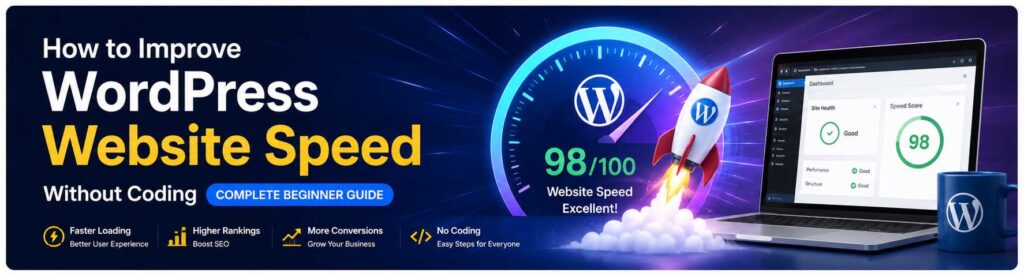
How to Improve WordPress Website Speed Without Coding (Complete Beginner Guide) You are not the only one experiencing slow WordPress website loading times; millions of other website owners and operators are experiencing problems with slow websites: poor or nonexistent website speed, high bounce rate, and low SEO ranking as a result of a slow loading web site. In the year 2026, website load time will be just as important as ever. Visitors expect every website they visit to load quickly (within seconds) and, in today’s world, Google gives priority in their search engine results to fast websites. If your website is slow, you are likely to have fewer visitors, lower conversion rates and poorer user experience. Fortunately, you don’t need to have experience with coding to make improvements to your WordPress web site. We will provide a complete and easy-to-understand beginner’s guide to how to improve WordPress website speed through easy to follow steps. No matter whether you operate a blog, own a business or run an online shop, the following tips will help improve the WordPress loading speed of your WordPress web site, increase your search engine ranking and enhance the experience for your site visitors. Lorem ipsum dolor sit amet, consectetur adipiscing elit. Ut elit tellus, luctus nec ullamcorper mattis, pulvinar dapibus leo. Why Website Speed Matters in 2026 The speed at which your website is loaded will impact: SEO Performance User Experience Conversion Rates Bounce Rates Mobile Performance Sales & Leads Research indicates that users leave when they visit a slow-loading site, even a 1-second delay can have an impact on purchases made on the site. For this reason, many companies are making investments into improvingWordPress performance optimization and selecting the best WordPress hosting providers. What Causes Slow WordPress Websites? To successfully how to improve WordPress website speed,, you must first be aware of some of the typical things that cause a website to slow down. Some reasons for slow websites are: Bad quality hosting Large image files Too many plugins installed Heavy themes installed No caching on your website Unoptimized databases Slow server response times Too many external scripts Luckily, most of these problems do not require any coding skills and can be easily solved with the proper tools and techniques! 1. Choose the Fastest WordPress Hosting The performance of your website is primarily determined by the quality of your hosting provider. Many new owners use low-cost shared hosting, which will slow down your site speed during high traffic periods. For you to increase the WordPress loading speed, of your WordPress website, one of the best things you can do is to move to one of the fastest WordPress hosting. Some of the features of a quality host include: NVMe SSD storage LiteSpeed web servers High uptime Fast server response time Advanced caching technology Optimized environment for WordPress Companies like Amaizor that provide reliable hosting services offer fast-loading hosting services for your WordPress site. 2. Use a Lightweight WordPress Theme Some WordPress themes have lots of animations and large items that make your site slower. Using a lightweight, fast-loading theme such as the following will help: Astra GeneratePress Kadence Neve By using a lightweight theme, you will improve your site’s performance in the following ways: Improves Mobile Speed Improves SEO Performance Improves Users Experience These are all an important part of the WordPress performance optimization process. 3. Install a Caching Plugin Caching creates static versions of your website pages so they load faster for visitors. Without caching, WordPress generates pages dynamically every time someone visits your site. Popular caching plugins include: WP Rocket LiteSpeed Cache W3 Total Cache WP Super Cache Caching significantly improves WordPress loading speed and reduces server load. Most caching plugins work with simple one-click settings. 4. Optimize Images Before Uploading Slow websites are often heavily impacted by large images being used. You must optimize your images BEFORE you upload them to your WordPress website if you want to how to improve WordPress website speed Some suggestions for image optimization include: Image compression Proper image resizing Use of WebP format Avoid uploading unnecessarily large image files Some useful image optimization plugins you could use are: Smush ShortPixel Imagify Optimized images will help you optimize your desktop and mobile website speed. 5. Remove Unnecessary Plugins Having excessive amounts of plugins will negatively impact your site’s load time. Certain plugins have many long-running processes which reduce response time. To optimize performance: Remove any plugins that you don’t use. Avoid redundant plugins with duplicate functionality offering the same benefits. Consider using a more lightweight version of the plugin. Always use the latest version of a plugin. Improving performance on a clean website is another straightforward way to enhance the performance of your WordPress performance optimization 6. Enable Lazy Loading Lazy loading delays loading images and videos until users scroll down the page. This reduces initial page loading time. Most caching plugins now include lazy loading features. Benefits include: Faster page speed Better mobile performance Reduced bandwidth usage Lazy loading is an excellent method for improving WordPress loading speed. 7. Use a Content Delivery Network (CDN) A CDN holds replicated copies of your site across multiple locations throughout the globe. When a visitor accesses your site, they will receive content from the closest CDN location. Some major CDN providers are: Cloudflare BunnyCDN StackPath Benefits of CDNs include: Increased global response time of the website to visitors Increased security of the website Better uptime of the website Enhanced User Experience If you have an international audience, it is highly recommended that you use a CDN. 8. Keep WordPress Updated Outdated versions of WordPress can negatively affect performance and increase security vulnerabilities. Be sure to regularly update: WordPress core Themes Plugins Keeping the software updated will improve compatibility with other technologies as well as increase the speed of the website. Updating your installed software is one of the very first steps you can take to how to improve WordPress website speed. 9. Optimize
Cheap Dedicated Server Hosting in India with High Performance

Cheap Dedicated Server Hosting in India with High Performance In today’s digital world, businesses need fast, secure, and reliable hosting solutions to stay ahead of competitors. Whether you run a high-traffic website, an eCommerce store, gaming platform, or enterprise application, choosing the right hosting solution is important for performance and growth. This is where Dedicated Server Hosting India becomes the ideal choice for businesses looking for power and stability at an affordable cost. If you are searching for a Cheap Dedicated Server with premium performance, Amaizor Dedicated Servers provides reliable hosting solutions for businesses in India, USA, and worldwide. What is Dedicated Server Hosting? Dedicated hosting means you get an entire physical server dedicated only to your website or applications. Unlike shared hosting, where multiple users share the same resources, a dedicated server provides full CPU power, RAM, storage, and bandwidth exclusively for your business. A Dedicated Server for Business is perfect for: High-traffic websites eCommerce stores Gaming servers Enterprise applications Video streaming websites Large databases SaaS platforms With a dedicated server, businesses enjoy maximum performance, better security, and full server control. Why Businesses Need Dedicated Server Hosting India India’s online business market is growing rapidly. Businesses now require faster websites, low latency, and secure infrastructure to handle increasing traffic. Choosing Dedicated Server Hosting India helps local businesses improve website speed for Indian visitors while also supporting international audiences. Key benefits include: 1. High Performance Dedicated servers deliver powerful hardware resources without sharing them with other users. This ensures fast loading speeds and smooth performance even during heavy traffic. 2. Better Security A dedicated environment provides enhanced security compared to shared hosting. Sensitive customer data, payment information, and applications remain protected. 3. Full Server Control Users get root access and complete customization options to install applications, configure settings, and optimize server performance. 4. Reliable Uptime Businesses cannot afford downtime. Dedicated hosting ensures stable uptime and uninterrupted operations. 5. Scalability As your business grows, dedicated servers can handle increasing workloads efficiently. Cheap Dedicated Server with Premium Features Many businesses believe dedicated hosting is expensive. However, modern hosting providers now offer affordable solutions without compromising performance. At Amaizor Dedicated Servers, users can find Cheap Dedicated Server plans with premium features such as: High-performance Intel and AMD processors Enterprise-grade SSD & NVMe storage High RAM configurations Full root access DDoS protection 24/7 technical support Fast network connectivity Multiple OS options Affordable dedicated hosting is now accessible for startups, agencies, developers, and growing enterprises. USA Dedicated Server for Global Reach If your target audience is international, choosing a USA Dedicated Server can significantly improve website performance for North American users. USA-based servers are ideal for: International businesses SaaS companies Streaming platforms Global eCommerce stores Gaming applications Businesses targeting both Indian and USA customers often use dedicated servers in multiple regions for better latency and SEO performance. Why Dedicated Hosting is Better Than Shared Hosting Shared hosting works for small websites, but as traffic increases, businesses need stronger infrastructure. Dedicated hosting offers several advantages: Feature Shared Hosting Dedicated Hosting Performance Shared resources Full resources Security Basic Advanced Speed Moderate High Customization Limited Full control Scalability Limited Excellent Stability Shared impact Independent For growing websites and enterprises, dedicated hosting provides long-term reliability and performance. Managed Dedicated Server – Hassle-Free Hosting Not every business has a technical team to manage servers. This is why many companies prefer a Managed Dedicated Server solution. Managed hosting includes: Server setup and configuration Security updates Monitoring and maintenance Performance optimization Backup management Technical support This allows business owners to focus on growth while the hosting provider handles server management. Best Dedicated Hosting 2026 for Businesses The demand for high-speed hosting is increasing every year. Businesses now require modern infrastructure with fast processors, NVMe storage, and enterprise-grade security. Choosing the Best Dedicated Hosting 2026 means selecting a hosting provider that offers: Reliable uptime Affordable pricing Fast support Advanced hardware Secure infrastructure Flexible server customization Amaizor Dedicated Servers offers high-performance dedicated hosting solutions suitable for startups, enterprises, agencies, and developers. How Dedicated Servers Improve SEO Website speed and uptime directly affect SEO rankings. A slow website increases bounce rates and reduces user experience. Dedicated servers help improve: Website loading speed Core Web Vitals User experience Search engine rankings Conversion rates Businesses targeting competitive keywords in India and the USA can benefit greatly from dedicated hosting infrastructure. Final Thoughts Choosing the right hosting solution is essential for online business success. Whether you need a Dedicated Server Hosting India, a USA Dedicated Server, or a fully Managed Dedicated Server, dedicated hosting delivers superior speed, security, and reliability. If you are looking for a Cheap Dedicated Server with enterprise-level performance, explore the powerful hosting solutions available at Amaizor Dedicated Servers. Investing in the Best Dedicated Hosting 2026 can help your business achieve better performance, stronger security, and long-term scalability.
Best WordPress Hosting in India for Beginners (2026 Guide)
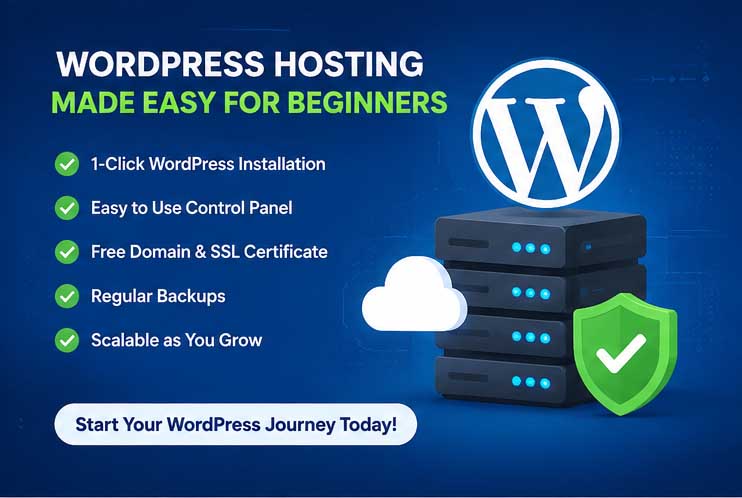
Best WordPress Hosting in India for Beginners (2026 Guide) If you are planning to start a website, blog, business website, portfolio, or online store in 2026, choosing the right WordPress hosting is one of the most important decisions. Whether you are from India, USA, UAE, Africa, or other Asian countries, fast and secure hosting helps your website load faster, rank better on Google, and provide a smooth experience to visitors. In this guide, we will explain everything beginners need to know about WordPress hosting, how to choose the best hosting provider, and what features actually matter. If you are looking for affordable and reliable hosting, check out Amaizor WordPress Hosting: https://www.amaizor.com/wordpress-hosting/ What is WordPress Hosting? WordPress hosting is a type of web hosting optimized specifically for WordPress websites. It offers better speed, improved security, automatic updates, backups, and easy WordPress installation. Unlike normal shared hosting, WordPress hosting is designed to handle WordPress websites more efficiently. Benefits of WordPress Hosting Faster website loading speed Better SEO performance Free SSL certificate Easy WordPress installation Enhanced website security Daily or weekly backups Better uptime and reliability Beginner-friendly control panel Why WordPress Hosting is Important for Beginners Many beginners buy cheap hosting without checking performance, support, or security. Later, they face issues like: Slow website loading Frequent downtime Website hacking problems Poor customer support Low Google rankings Server errors during traffic spikes Choosing the best WordPress hosting in India or globally can help avoid these problems. Best WordPress Hosting Features to Look For in 2026 Before buying WordPress hosting, beginners should check these important features. 1. SSD or NVMe Storage Fast SSD or NVMe storage improves website loading speed significantly. SEO Keywords: Fast WordPress hosting SSD WordPress hosting India High speed WordPress hosting 2. Free SSL Certificate SSL keeps your website secure and improves trust. Google also prefers HTTPS-enabled websites. SEO Keywords: WordPress hosting with free SSL Secure WordPress hosting Free SSL hosting India 3. 1-Click WordPress Installation Beginners should choose hosting with easy WordPress installation. This helps launch websites quickly without technical knowledge. 4. LiteSpeed Web Server LiteSpeed hosting improves WordPress speed and performance. It is especially useful for blogs, business websites, and WooCommerce stores. SEO Keywords: LiteSpeed WordPress hosting Fastest hosting for WordPress SEO optimized hosting 5. Daily Backups Automatic backups protect your website from data loss. If something goes wrong, you can restore your website quickly. 6. 24/7 Technical Support Beginners often need help while setting up websites. Reliable hosting providers offer 24/7 support through chat, tickets, or WhatsApp. Best WordPress Hosting for India, USA, UAE, Africa & Asia Different countries need different hosting priorities. India Indian users usually prefer: Affordable hosting UPI payment options Fast loading speed in India Hindi support Local business-friendly plans Easy-to-Rank Keywords Best WordPress hosting in India Cheap WordPress hosting India Affordable hosting for Indian businesses WordPress hosting with UPI payment USA USA customers often look for: High performance hosting Better uptime Managed WordPress hosting Ecommerce optimized hosting SEO Keywords Best managed WordPress hosting USA Fast WordPress hosting for business websites WooCommerce hosting USA UAE Businesses in UAE usually prefer: Fast hosting for ecommerce websites Reliable uptime Secure business hosting Scalable WordPress hosting SEO Keywords Best WordPress hosting UAE Business WordPress hosting Dubai Secure hosting for ecommerce websites Africa African users often search for: Affordable hosting plans Low-cost WordPress hosting Fast hosting with global CDN SEO Keywords Cheap WordPress hosting Africa Best hosting for African startups Affordable hosting for bloggers Asia Asian businesses generally need: Reliable website performance SEO-friendly hosting Fast customer support Business website hosting SEO Keywords Best WordPress hosting in Asia Fast hosting for Asian websites SEO optimized WordPress hosting Shared Hosting vs WordPress Hosting Many beginners get confused between shared hosting and WordPress hosting. Feature Shared Hosting WordPress Hosting Speed Average Faster Security Basic Optimized WordPress Support Limited Better Performance Standard Optimized Backups Sometimes Usually Included Ease of Use Beginner Friendly More Beginner Friendly If your website uses WordPress, dedicated WordPress hosting is usually the better option. Who Should Use WordPress Hosting? WordPress hosting is perfect for: Bloggers Small businesses Startup websites Ecommerce stores Educational websites Portfolio websites Agencies News portals Coaching institutes School websites Best WordPress Hosting for Small Businesses Small businesses need hosting that is: Affordable Fast Secure Reliable Easy to manage A good hosting plan helps businesses: Rank better on Google Increase customer trust Improve conversion rates Reduce website downtime Why Website Speed Matters for SEO Google uses website speed as a ranking factor. Slow websites often lose visitors and sales. Fast WordPress hosting improves: User experience Mobile performance SEO rankings Conversion rates Bounce rate Easy SEO Keywords Fast loading WordPress hosting SEO friendly hosting Best hosting for Google ranking Website speed optimization hosting Common Mistakes Beginners Make While Buying Hosting Choosing the Cheapest Hosting Only Very cheap hosting may lead to slow performance and downtime. Ignoring Customer Support Good support is essential for beginners. Not Checking Backup Options Backups help recover websites easily. Ignoring Security Features Always choose hosting with SSL, malware protection, and security monitoring. Why Choose Amaizor WordPress Hosting? Amaizor offers beginner-friendly WordPress hosting solutions with fast servers, security features, and affordable pricing. Features Fast SSD hosting Free SSL certificate Easy WordPress setup 24/7 technical support Affordable hosting plans Reliable uptime Beginner-friendly control panel Optimized WordPress performance Visit: https://www.amaizor.com/wordpress-hosting/ Frequently Asked Questions (FAQs) Which is the best WordPress hosting in India? The best hosting depends on your budget, traffic, and website type. Beginners should choose fast, secure, and affordable hosting with good support. Is WordPress hosting good for beginners? Yes. WordPress hosting is beginner-friendly and usually includes easy setup, backups, and security. What is the difference between shared hosting and WordPress hosting? WordPress hosting is specifically optimized for WordPress websites and generally provides better speed and security. Does hosting affect SEO? Yes. Fast and reliable hosting improves website speed, uptime, and user experience, which helps SEO. Can I host multiple websites on WordPress hosting? Many hosting plans allow multiple websites depending on the package. Final Thoughts
How to choose the perfect domain name
How to Choose the Perfect Domain Name for Your Business How to Choose the Perfect Domain Name for Your Business Choosing the right domain name is one of the most important steps in building your online presence. Whether you’re starting a small business, launching an e-commerce store, or creating a personal brand, your domain name becomes your digital identity. It affects how customers find you, how trusted your brand appears, and even how well you rank on search engines. If you’re planning to buy a domain but aren’t sure how to pick the perfect one, this guide will help you make the best decision. 1. Keep Your Domain Name Short and Simple A short domain name is easier to remember, type, and share. Long and complicated names increase the chances of spelling errors and lost traffic. ✔ Tips: Aim for 10–12 characters if possible Avoid numbers and hyphens Stick to simple spellings A simple name not only improves branding but also makes your website look more professional. 2. Make It Easy to Search and Remember Your goal is to choose a name that users can easily recall and search. When people try to search domain names related to your business, you want yours to stand out. ✔ What works best: Clear spellings Common words Brandable combinations (e.g., Amaizor, Shopify, Flipkart) A memorable domain instantly increases repeat visits and brand recognition. 3. Use Relevant Keywords for Better SEO Including a keyword in your domain can help with search engine visibility. If your business sells hosting, clothing, electronics, or services, keywords can give your domain an SEO advantage. Examples: delhihosting.com mysalestore.in quickrepairservice.com Keywords help customers understand what your business offers before they even visit your website. 4. Choose the Right Domain Extension The extension you choose can impact trust and brand value. While .com is still the most popular and trusted extension, many new businesses also use: .in – for Indian audiences .co – modern and startup-friendly .store – perfect for e-commerce .shop – ideal for shopping websites .net / .org – for networks or organizations If you’re looking for a cheap domain, extensions like .online, .site, .info, and .co.in offer excellent value and availability. 5. Make Sure the Domain Is Easy to Pronounce Even if people see your website name online, they may eventually speak it aloud. If your domain is hard to pronounce or confusing, your brand could lose recognition. ✔ Test: Say your domain name to a friend.If they can repeat it correctly without spelling help, it’s good. 6. Avoid Trademarked or Copyrighted Words Before you buy a domain, make sure it does not conflict with registered trademarks. Using brand names like Facebook, Amazon, or Netflix may lead to legal issues or the domain being taken down. You can quickly search online for trademark availability or check government trademark websites. 7. Check Domain Availability Everywhere Before finalizing, always check: Domain availability Social media handle availability Similar competitor names Possible misspellings that could confuse customers With tools available at Amaizor.com, you can easily search domain names based on keywords, industry, and availability. 8. Think Long-Term Branding, Not Just Today Your domain should match your brand’s future growth. Avoid choosing something too narrow. Example: If you choose: bestmobilecovers.comYou limit yourself to selling mobile covers only. But if you choose: bestmobileaccessories.comIt allows future expansion. Pick a name that can grow with your business. 9. Choose a Domain That Builds Trust A good domain name helps customers trust your brand. Extensions like .com, .in, .co, and .store appear credible and professional. Avoid uncommon or suspicious-looking extensions unless you have a strong reason to use them. If you want the best domain for business, always choose a name that feels reliable and authoritative. 10. Register Your Domain Before Someone Else Takes It Domain names are sold on a first-come, first-serve basis. If you’ve found the perfect name, don’t wait—domain registration is extremely affordable, and millions of domains are purchased daily. Amaizor.com allows you to: Search available domains Buy cheap domains instantly Register your domain with secure billing Protect your brand with additional extensions The earlier you register, the better your chances of securing your brand identity. Final Thoughts Choosing the perfect domain name is a crucial step for every business. A clear, short, and memorable domain not only improves branding but also strengthens customer trust and helps you rank better on search engines. Whether you’re looking for a cheap domain, the best domain for business, or a unique brand name, taking the time to research and plan will ensure long-term success. If you’re ready to buy a domain, visit Amaizor.com to search domain names, check availability, and complete your domain registration within minutes. Cheap Domain Name Search a Perfect Domain name How to Choose the Perfect Domain Name for Your Business Choose the Right Domain Extension